
Struggling to identify performance bottlenecks, slow dialog responses, or background job failures in your SAP NetWeaver ABAP environment?
SAP NetWeaver ABAP environments rely on multiple components including work processes, background jobs, buffers, enqueue operations, and RFC queues to support business-critical applications. When issues occur such as resource constraints, slow response times, work process bottlenecks, or failed background jobs,identifying the root cause can become challenging without comprehensive visibility into these components.
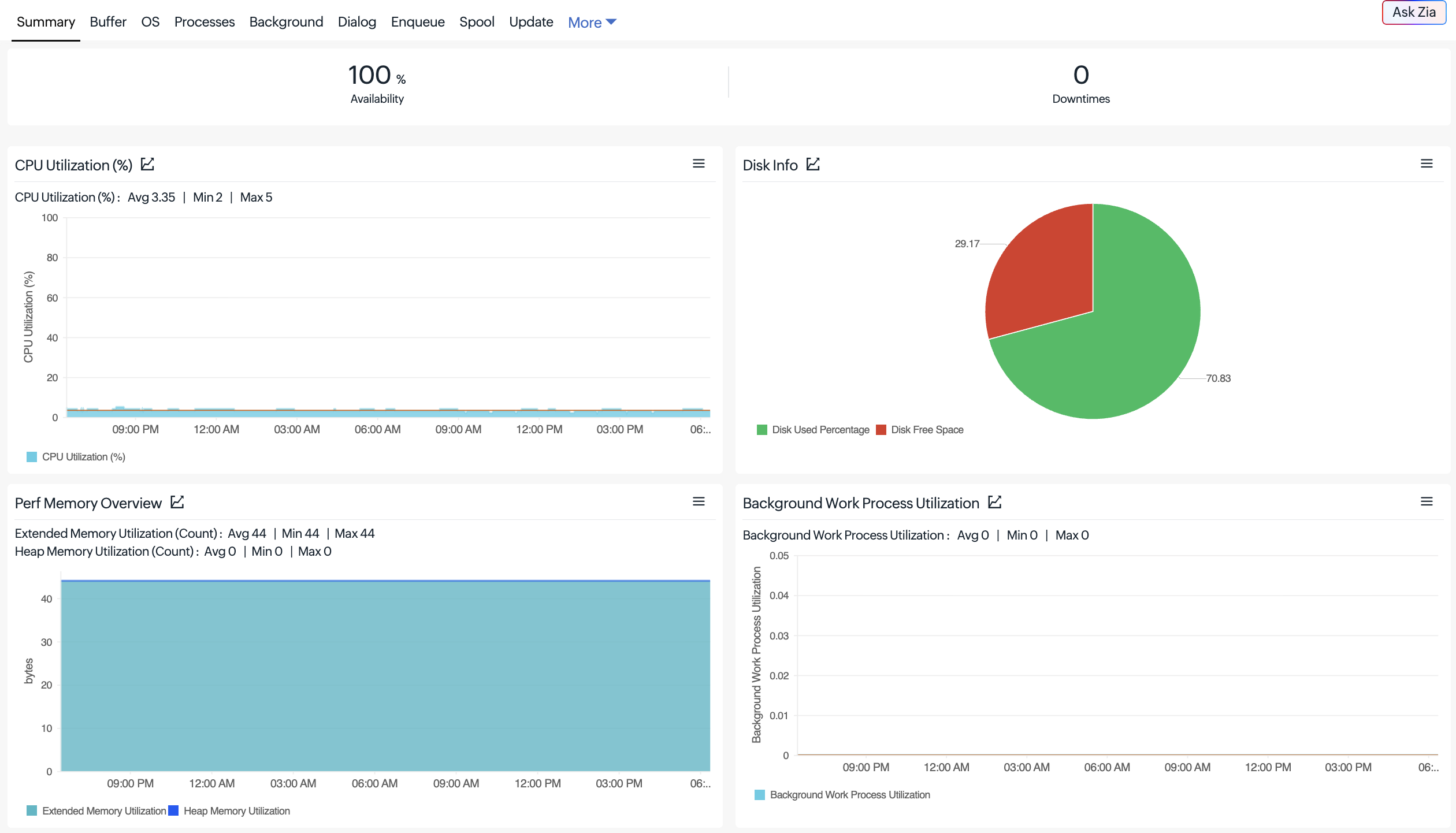
- Track CPU utilization, disk usage, available disk space, and memory paging activity.
- View system information, including the SAP kernel release, database platform, operating system, and application server details.
- Identify resource utilization issues that may affect SAP application performance.
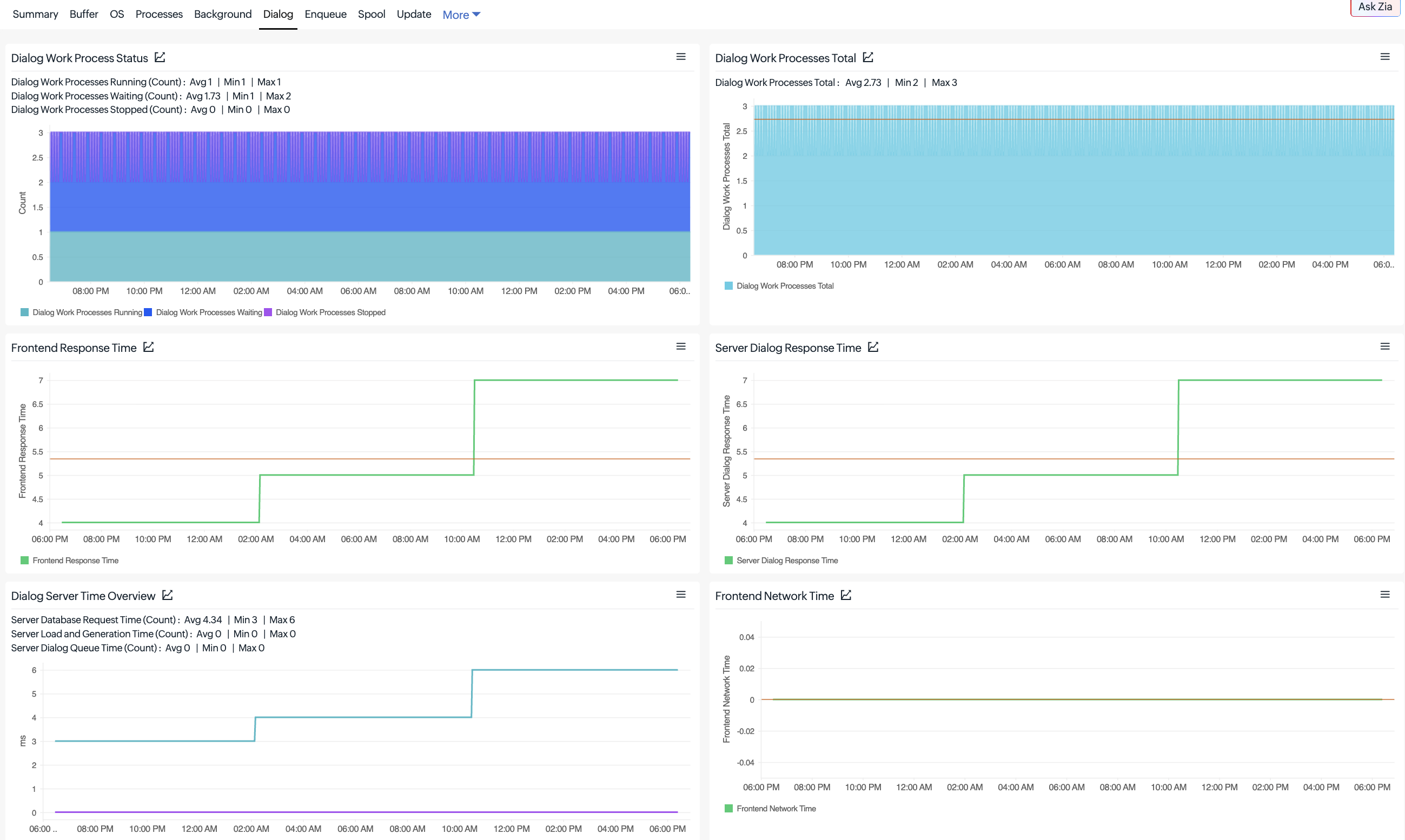
- Monitor the status of dialog, background, enqueue, spool, and update work processes.
- Track running, waiting, and stopped work processes to identify processing bottlenecks.
- Detect long-running dialog work processes that may affect application responsiveness.
- Monitor dialog response time, logged-in users, and frontend network time.
- Analyze database request time, dispatcher queue time, and program load and generation time.
- Identify delays affecting SAP application responsiveness and user experience.
- Track background job counts, work process utilization, and queue lengths.
- Monitor background job execution status, runtime, and scheduling delays.
- Identify background processing errors and failed jobs to troubleshoot execution issues.
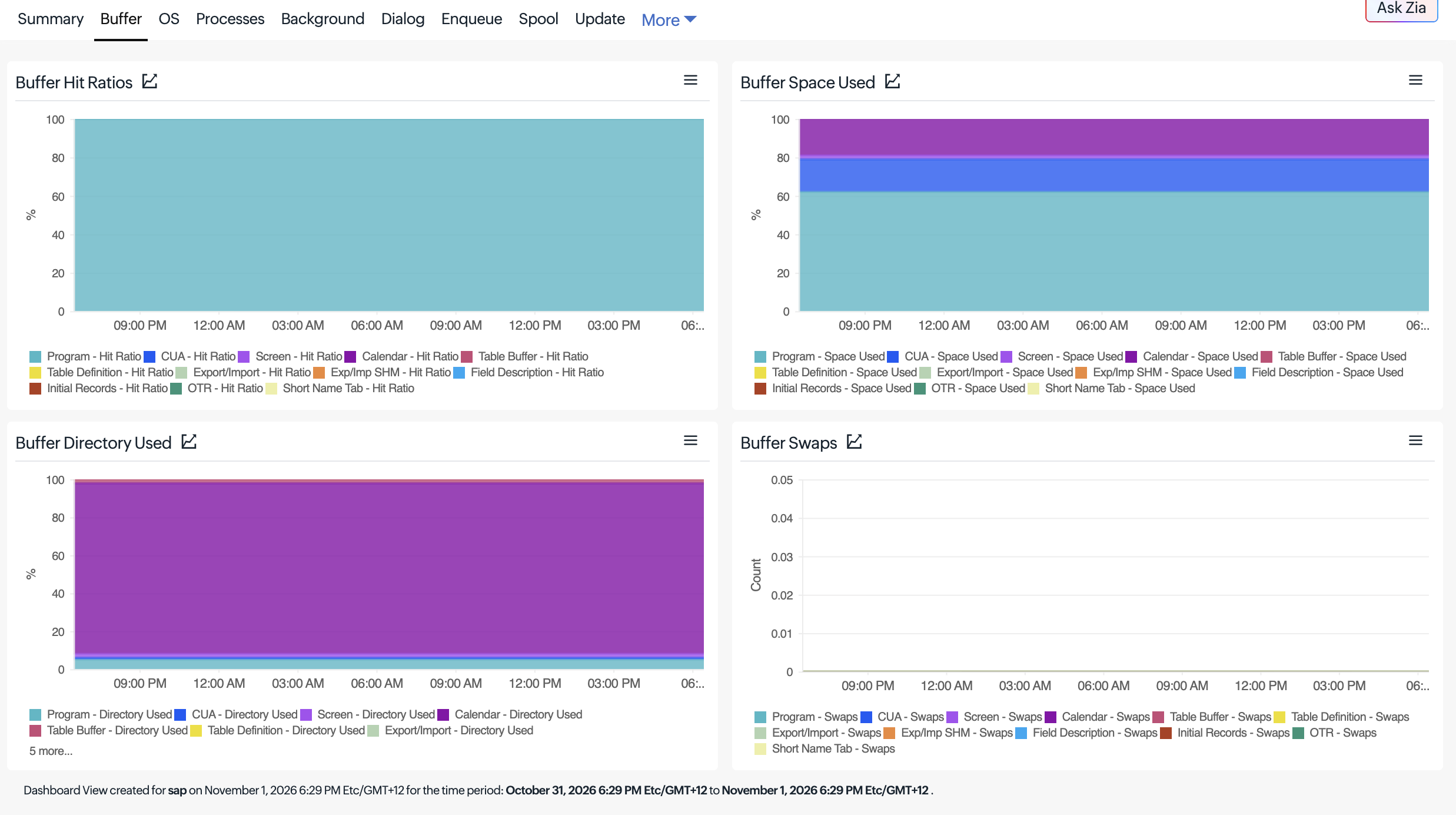
- Monitor buffer hit ratios, space utilization, directory usage, and swap activity.
- Track 12 buffer types, including program, CUA, screen, calendar, table buffers, etc.
- Identify excessive buffer swaps and inefficient buffer utilization that may affect application performance.
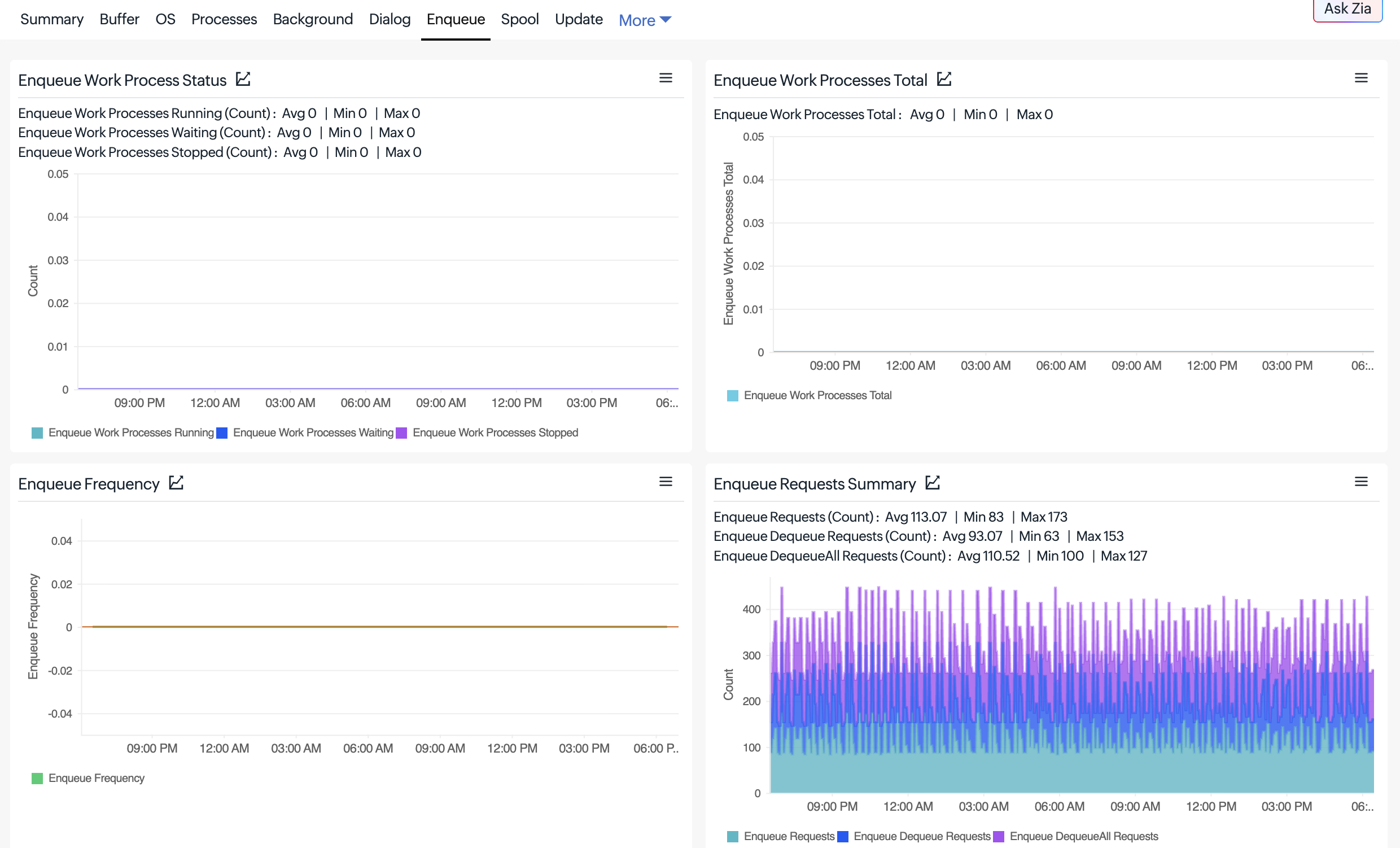
- Track enqueue and dequeue requests, request errors, and rejected lock requests.
- Monitor lock table utilization and enqueue update queue activity.
- Identify lock-related issues that may affect transaction processing.
- Monitor inbound (Qin) and outbound (Qout) RFC queues and scheduler status.
- Track transactional RFC (tRFC) calls, execution states, and associated errors.
- Identify failed RFC calls and queue processing issues that may interrupt communication between SAP components.
- Monitor process chain execution status, reported status, and manual aborts.
- View SAP CCMS alerts, including severity, status, and associated messages.
- Identify potential issues affecting SAP system operations and background workflows.
- Configure performance thresholds and receive alerts when monitored conditions indicate issues.
- View outage history, alert logs, and monitoring data to investigate performance problems.
- Reduce troubleshooting time with centralized visibility into critical SAP components.
- Navigate to Apps > Enterprise Applications > SAP ABAP in your Site24x7 console and click the + icon.
- Select an existing On-Premise Poller with network access to your SAP ABAP system or add a new one.
- Provide the SAP application server details, configure the required credentials, and save the monitor to start monitoring your SAP environment.

For more details, please refer to our SAP NetWeaver ABAP monitoring help documentation.
Keep your SAP NetWeaver ABAP environment healthy and ensure the smooth operation of your business-critical applications with Site24x7.
Have questions or suggestions? Drop them in the comments. We’d love to hear from you!
Happy monitoring,
The Site24x7 team