Session replay tool

Site24x7’s session replay captures every user click, scroll, and keystrokes to highlight any errors, slow loads, or failed resources. Get a visual understanding of the user-experience as experienced by the customer.

Start 30-day free trial Try now, sign up in 30 seconds

ManageEngine recognized in the 2025 Gartner® Magic Quadrant™ for Digital Experience Monitoring

Playback your website's user sessions to remove friction points and optimize user experience.

Enhance user experience icon

Enhance user experience

Identify friction points, confusing navigation, and areas of user frustration. Optimize your site for seamless interactions and higher satisfaction.

Accelerate debugging & issue resolution icon

Accelerate debugging & issue resolution

Pinpoint the exact steps users took before encountering errors or bugs. Reduce mean time to resolution (MTTR) by seeing the problem firsthand.

Boost conversion rates icon

Boost conversion rates

Identify conversion blockers and optimize your funnels. Understand why users abandon carts or forms and turn more visitors into customers.

Reconstruct complete user journeys

Replay every session with full visual and technical fidelity.

  • Watch visual playback of user actions—clicks, scrolls, inputs, and navigation across the webpage.
  • Jump to specific moments using session timeline and event markers to pinpoint clicks, inputs, or errors and correlate actions with performance changes.
  • Reproduce bugs, validate UI flows, and understand drop-offs—without needing to ask the user.

Investigate performance issues with complete frontend debugging

See exactly what slowed down your users—and fix it faster
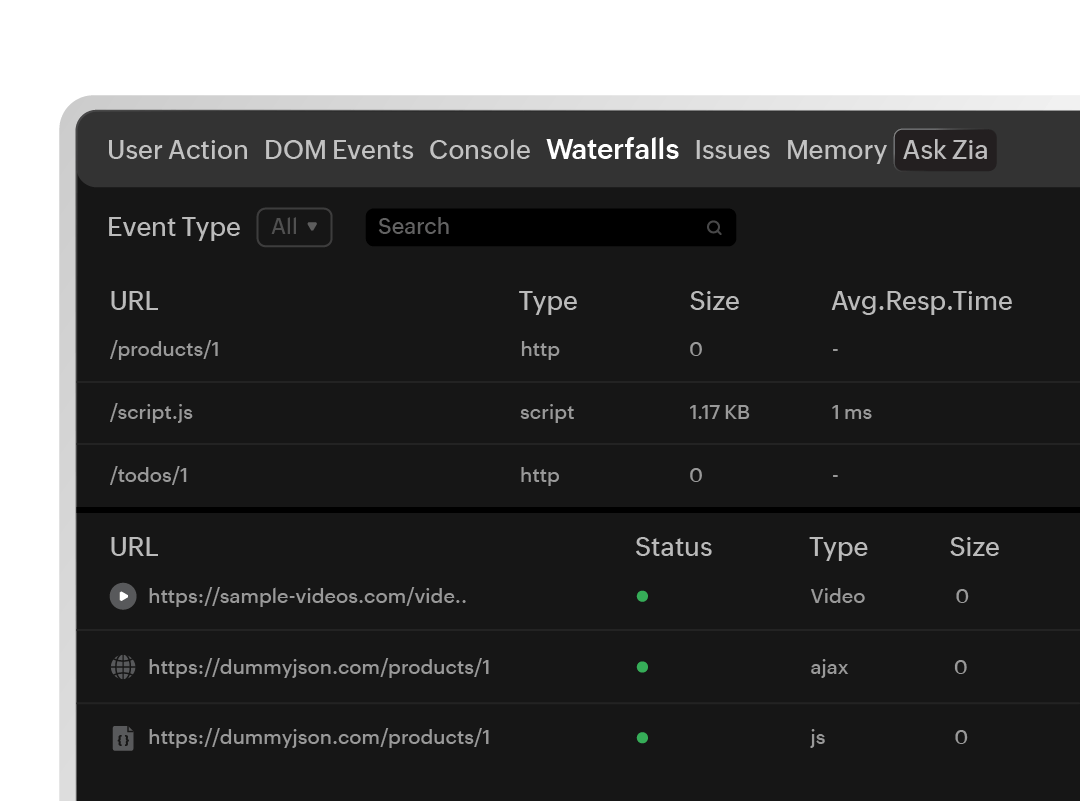
  • Detect slow page loads, failed network calls, and heavy assets using network and waterfall views.
  • Detect memory leaks and rendering inefficiencies by correlating memory usage patterns with specific user interactions.
  • Correlate poor performance with real user impact, not just synthetic tests.
Investigate performance issues with complete frontend debugging

Troubleshoot faster with actionable technical data

Go from error to root cause in seconds—not hours.
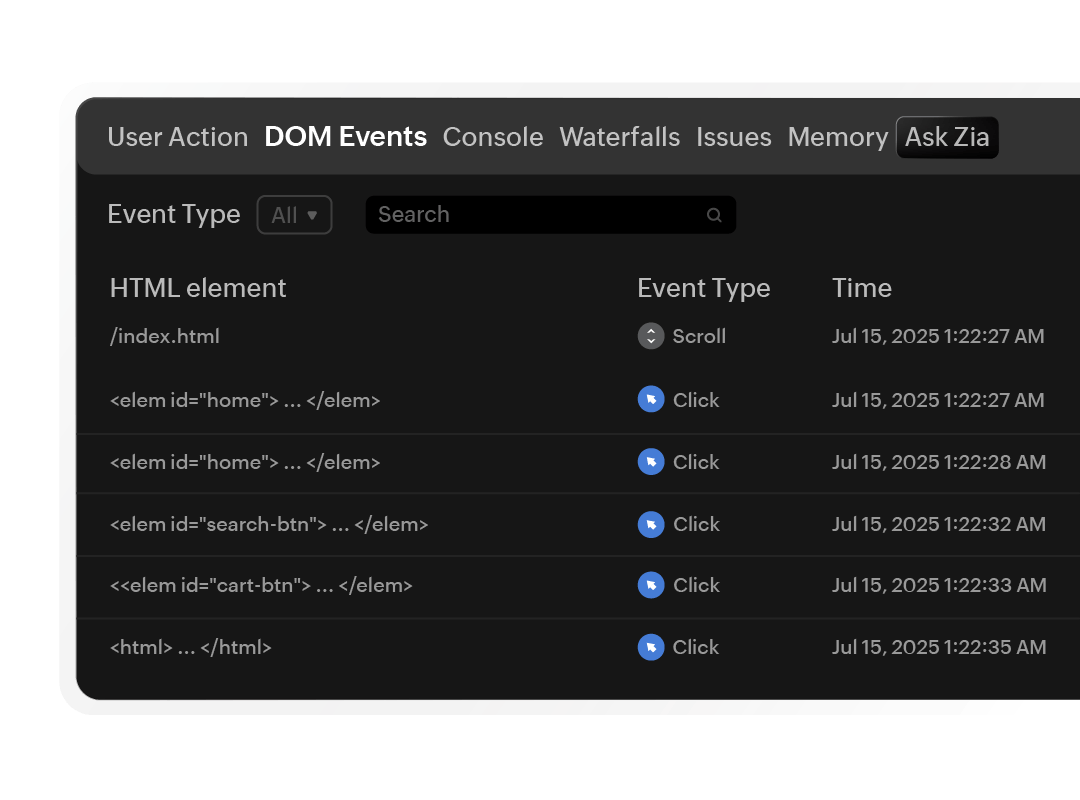
  • View JavaScript errors, failed HTTP calls, and stack traces with user behavior context—complete with timestamps and screen activity.
  • Correlate errors with specific user actions like clicks, scrolls, or page navigation—alongside frustration signals such as rage clicks or low Apdex.
  • Get DOM snapshots that provide event-type filtering for granular debugging.
Troubleshoot faster with actionable technical data

Simple setup, powerful insights, uncompromised privacy

Designed for ease of use with enterprise-grade security.

  • Correlate session replays with RUM metrics and APM traces to gain deeper insight into how frontend and backend performance impacts user experience.
  • Incorporate session-level insights as a vital layer in your observability workflow—enriching your golden signals without losing context.
  • Ensure full compliance with global data protection regulations (GDPR, CCPA) by masking sensitive fields.

Where session replay delivers value

Leverage session replay across teams—from dev to support—for targeted use cases

icon

Developers

Reproduce bugs with visual steps, DOM state, and network traces.

QA teams icon

QA teams

Validate flows and identify regressions by comparing real behavior.

Product managers icon

Product managers

Spot friction, measure engagement, and optimize adoption.

Support engineers icon

Support engineers

Understand what happened before a ticket—no user guesswork.

Turn every user session into an insight

Go beyond logs and metrics by adding rich visual context to your observability workflow. Watch, understand, and act with the session replay tool.

Start 30-day free trial Try now, sign up in 30 seconds

Frequently asked questions

Site24x7 session replay captures DOM changes, user interactions (clicks, scrolls, keystrokes), network requests, and JavaScript errors during real user sessions. The lightweight RUM agent records these events and reconstructs the session as a visual playback you can watch in the Site24x7 console—without storing actual screenshots or video.

Yes. Site24x7 session replay masks sensitive fields such as passwords, credit card numbers, and personal data by default. You can configure custom masking rules to ensure compliance with GDPR, CCPA, and other data protection regulations. No personally identifiable information is stored in the replay data.

Heatmaps aggregate interaction data across many users into a visual overlay (click maps, scroll maps), showing where users tend to engage on a page. Session replay shows the exact sequence of actions for an individual user session, including navigation between pages, errors encountered, and timing. Use heatmaps for patterns across users; use session replay for debugging specific issues.

No. The Site24x7 RUM agent is lightweight and asynchronous. It captures DOM mutations and user events with minimal overhead, typically adding less than 30 KB to your page load. Session data is batched and sent in the background, so there is no noticeable impact on page speed or user experience.

Yes. Session replay is available during the 30-day free trial with full functionality. No credit card is required to sign up, and you can start replaying user sessions within minutes of adding the RUM JavaScript snippet to your site.

Yes. Site24x7 session replay captures sessions from all major mobile browsers including Chrome, Safari, and Firefox on both Android and iOS devices. You can filter replays by device type, operating system, or browser to focus on mobile-specific issues like responsive layout problems or touch interaction bugs.

Setting up session replay takes minutes. Add the Site24x7 Real User Monitoring JavaScript snippet to your pages, enable session replay in the RUM monitor configuration, and sessions will begin recording automatically. No server-side agents or complex configurations are needed.

Site24x7 offers multiple levels of privacy masking. Sensitive input fields (passwords, credit cards) are masked by default. You can also configure element-level masking using CSS selectors, mask all text content, or block entire page sections from being recorded. This ensures sensitive data never leaves the user's browser in a readable format.

Yes. Site24x7 session replay integrates with Real User Monitoring metrics and APM traces. You can jump from a session replay directly to the corresponding backend transaction trace, giving you end-to-end visibility from the user's click to the server-side response—all within a single observability platform.