FQDN Report
With Site24x7's SSL Certificate and Domain Expiry Monitors, you can stay up-to-date about the validity of your SSL Certificates and Domain names. The Fully Qualified Domain Name (FQDN) report brings the domain and SSL expiry details into a single comprehensive report. This report gives you instant visibility into all those domains and SSL certificates that need a renewal for continued availability of your website.
View your Autogenerated FQDN Report
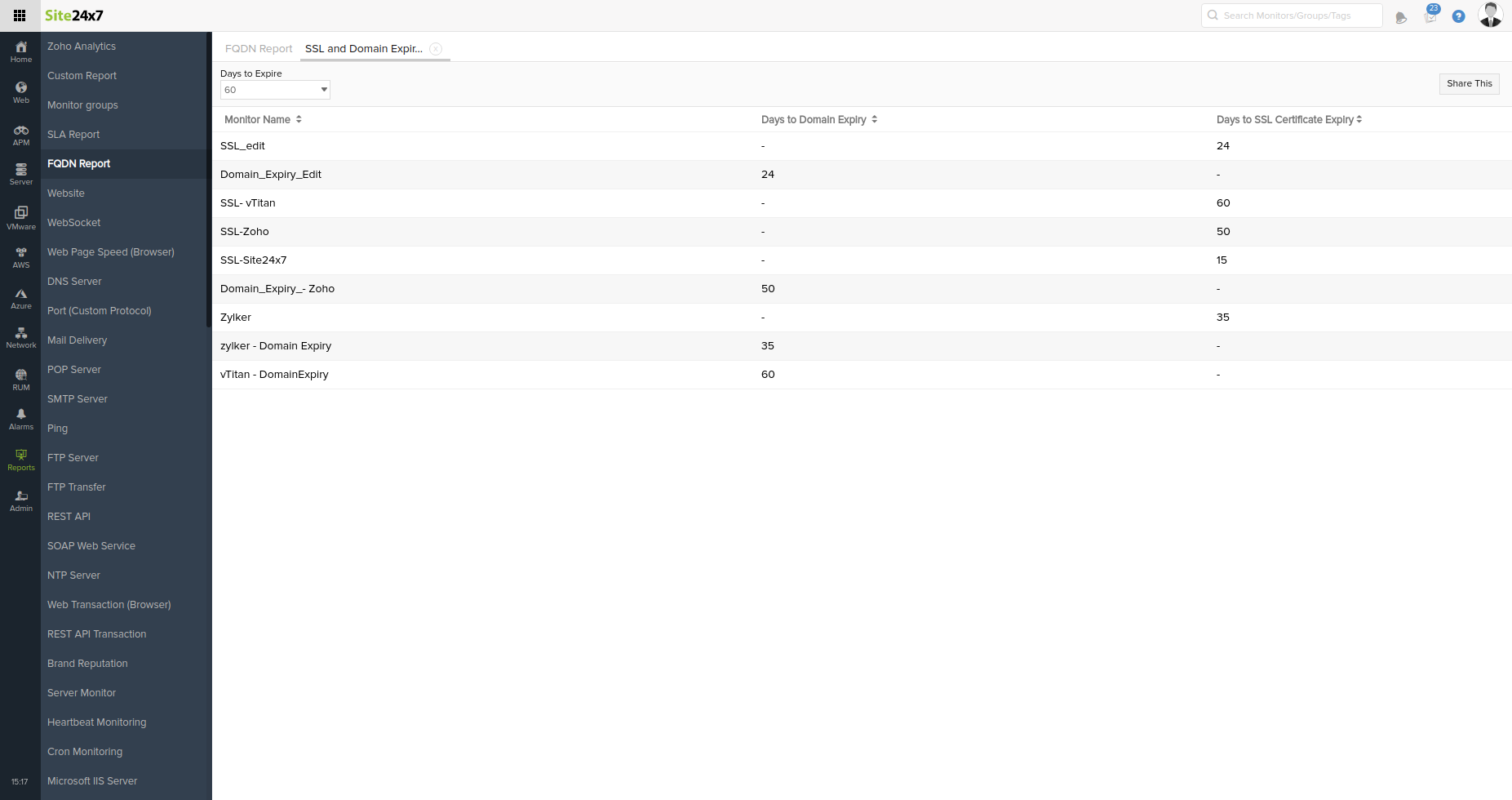
To view and export an FQDN report, please follow the steps below:
- Login to Site24x7.
- Make sure you've SSL and Domain Expiry monitors set up in your account.
- Navigate to Reports > FQDN Report to view the remaining days for expiry of your FQDN domain and SSL certificate.
- You can filter the monitors by choosing the number of days left for expiry, using the Days to Expire option.
- To generate a report, configure the required fields and filters.
- Once you have completed the configuration, click Generate to create the report.
NoteThe Generate button turns green when you modify the report configuration, indicating that the report can be generated using the updated settings.
- Once you've generated a report, you can click the Share This button to perform activities such as:
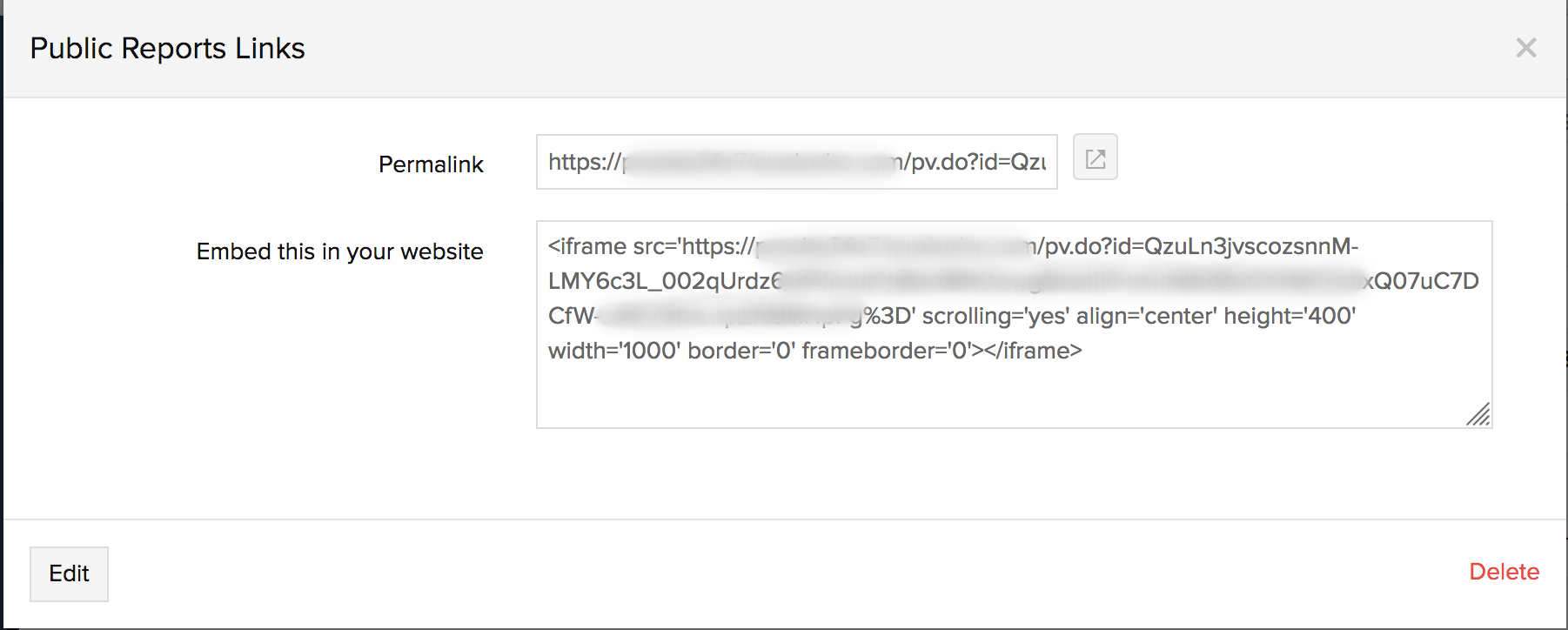
- Publish report: Access this link to generate a permalink and iframe code snippet of your FQDN report. By sharing the permalink or embedding the iframe code inside your website, you can easily make this report available to all your customers without any login.
- Schedule report: Populate the schedule report form to create a report task that would trigger FQDN report emails to your preferred alerting group at a set frequency. You can send the report on a daily, weekly, or monthly basis and attach the report as a PDF or CSV file.
Days to Expire: Choose the number of days remaining for expiry, from the range provided to filter the monitors.
Daily: Set this mode for a daily delivery schedule. You can define the hour of the day when the report must be sent.
Weekly: Set this mode for a weekly delivery schedule. You can define the hour of the day every week when the report must be sent.
Monthly: Set this mode for a monthly delivery schedule. You can define the hour during a specific date every month when the report must be sent.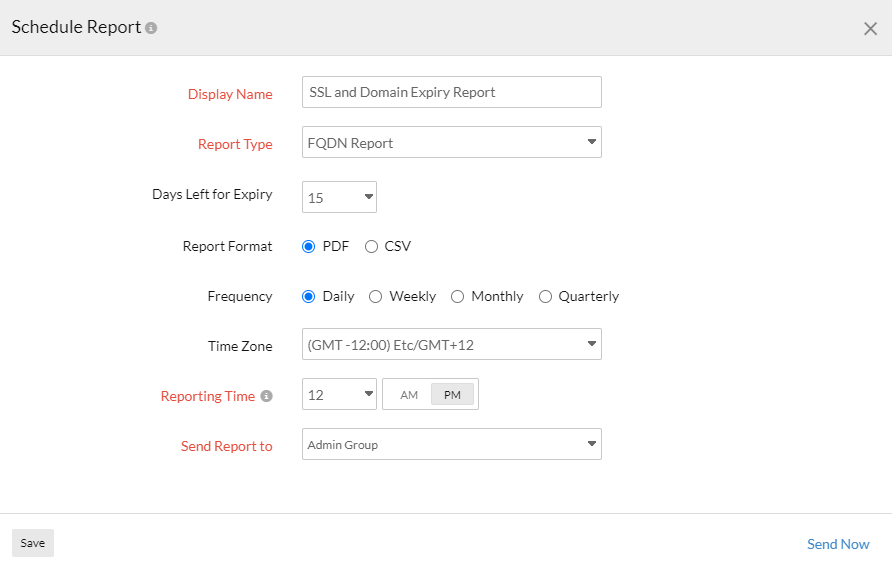
- Share report via email: Use this link to share the FQDN report instantly to your preferred user group. Email can be sent to only those verified users who have agreed to receive emails from Site24x7.
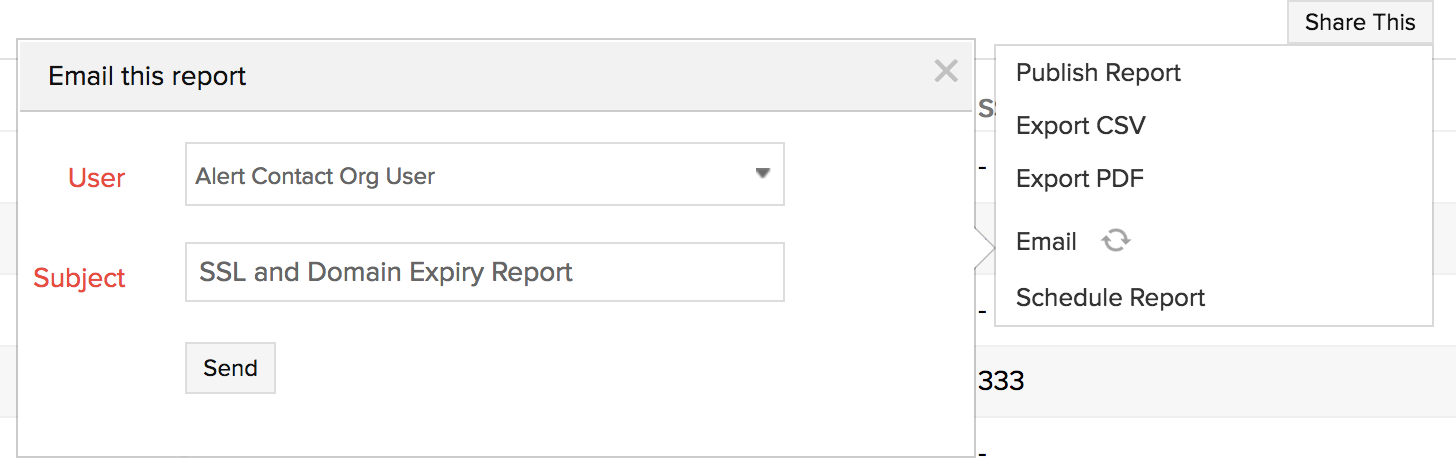
- Export report as a PDF or CSV file: Use the link to download the FQDN report as an offline CSV or PDF file.
- Publish report: Access this link to generate a permalink and iframe code snippet of your FQDN report. By sharing the permalink or embedding the iframe code inside your website, you can easily make this report available to all your customers without any login.
-
On this page
- View your Autogenerated FQDN Report