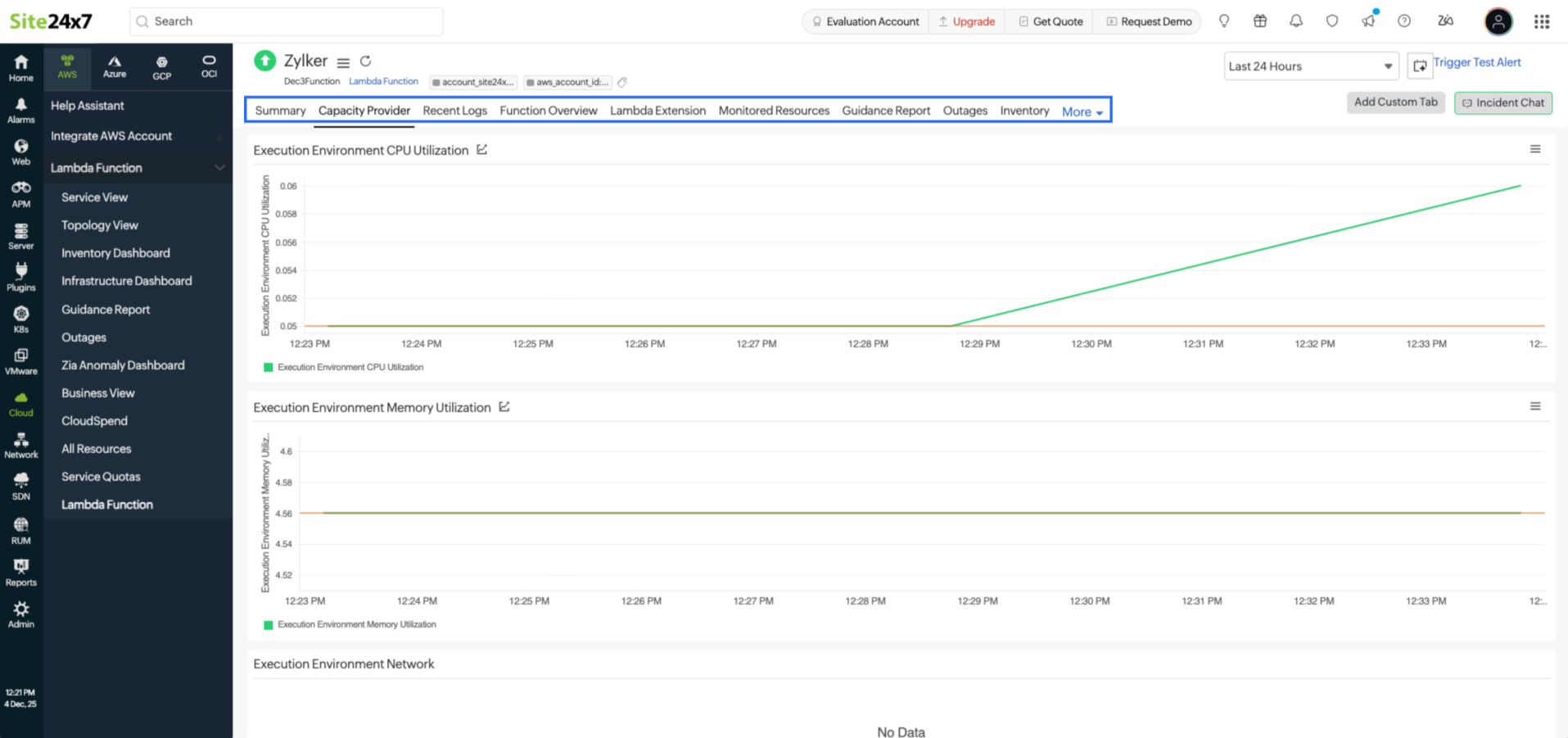
Lambda Managed Instances integration
Site24x7 supports monitoring for AWS Lambda Managed Instances, giving your Lambda functions more control over how they use compute capacity. Lambda Managed Instances lets a function run multiple tasks inside a single execution environment, which helps reduce compute consumption of Lambda functions. As a result, functions that handle steady or predictable workloads run with less overhead.
When a function uses Lambda Managed Instances, the execution environment becomes more important than the individual invocation because a single environment can run multiple tasks at the same time. This activity pushes CPU, memory, disk, and concurrency usage close to their limits if they are not monitored.
Without visibility into these metrics, it is difficult to know when the environment is overloaded; whether tasks are slowing down due to capped CPU or memory; if the configured concurrency limit is too low for the workload; or how disk and network activity changes as more tasks run. Site24x7 tracks all of these values and lets you configure thresholds and alerts based on what is actually happening inside the Lambda Managed Instances environment, allowing you to detect issues early and tune capacity with confidence.
Cost optimization with Lambda Managed Instances
From a Site24x7 standpoint, Lambda Managed Instances gives you more room to optimize the cost of your Lambda workloads. Since Lambda Managed Instances runs functions on Amazon EC2-backed environments, you can make use of EC2 cost benefits such as Compute Savings Plans, which provide significant discounts over on-demand pricing. Lambda Managed Instances workloads can also run on newer EC2 Instances types, like AWS Graviton4, which offer a better price and performance when compared to earlier generations.
Lambda Managed Instances also raises the maximum Lambda timeout to one hour. This supports long running operations without moving away from the serverless operating model, enabling you to track performance and resource usage through Site24x7.
Supported Lambda Managed Instances metrics
For Lambda functions that use Lambda Managed Instances, Site24x7 collects the following capacity provider metrics.
| Metric name | Description | Statistics | Unit |
|---|---|---|---|
|
Execution Environment CPU Utilization |
Measures the percentage of allocated CPU units that are currently in use by the Lambda function. |
Average |
Percent |
|
Execution Environment Memory Utilization |
Measures the percentage of memory used by the Lambda function. |
Average |
Percent |
|
Execution Environment Network In |
Measures the number of bytes received on all network interfaces in the Lambda function. |
Average |
Bytes |
|
Execution Environment Network Out |
Measures the number of bytes sent out from all network interfaces in the Lambda function. |
Average |
Bytes |
|
Execution Environment Disk Read Bytes |
Bytes read from all execution environments of the function in a specified period of time. |
Average |
Bytes |
|
Execution Environment Disk Write Bytes |
Bytes written to all execution environments of the function in a specified period of time. |
Average |
Bytes |
|
Execution Environment Concurrency |
The number of tasks currently running inside the Lambda Function Execution Environment. |
Maximum |
Count |
|
Execution Environment Concurrency Limit |
The maximum number of containers/processes the execution environment is allowed to run at the same time. |
Maximum |
Count |
Notify for Lambda Managed Instances Termination
The Notify for Lambda Managed Instances Termination option in the EC2 Instances Threshold Profile is used when Lambda Managed is enabled for a Lambda function. When this option is turned on, Site24x7 sends an alert whenever the Lambda Managed execution environment (the underlying instances) is terminated. This helps you understand changes in the environment that may affect function behavior.
Capacity Provider Metrics tab
The Capacity Provider Metrics tab is shown only for Lambda functions that use Lambda Managed Instances. Its purpose is to give a clear view of how the Lambda execution environment behaves when it runs multiple tasks simultaneously. This tab is needed because regular Lambda metrics track only individual invocations. With Lambda Managed Instances, several tasks may run together, so understanding the environment capacity helps you tune settings, set thresholds, and troubleshoot slowdowns.